How owners opt in to Mission Line texts
Effective October 10, 2026
Mission Line (David Anthony Martinez, dba Mission Line) sends account texts to the owners and staff of businesses that use Mission Line: login codes, alerts when a customer replies, and a monthly summary. Nobody gets these texts until they agree on our public login page. This page shows each step.
1. They agree on the login page
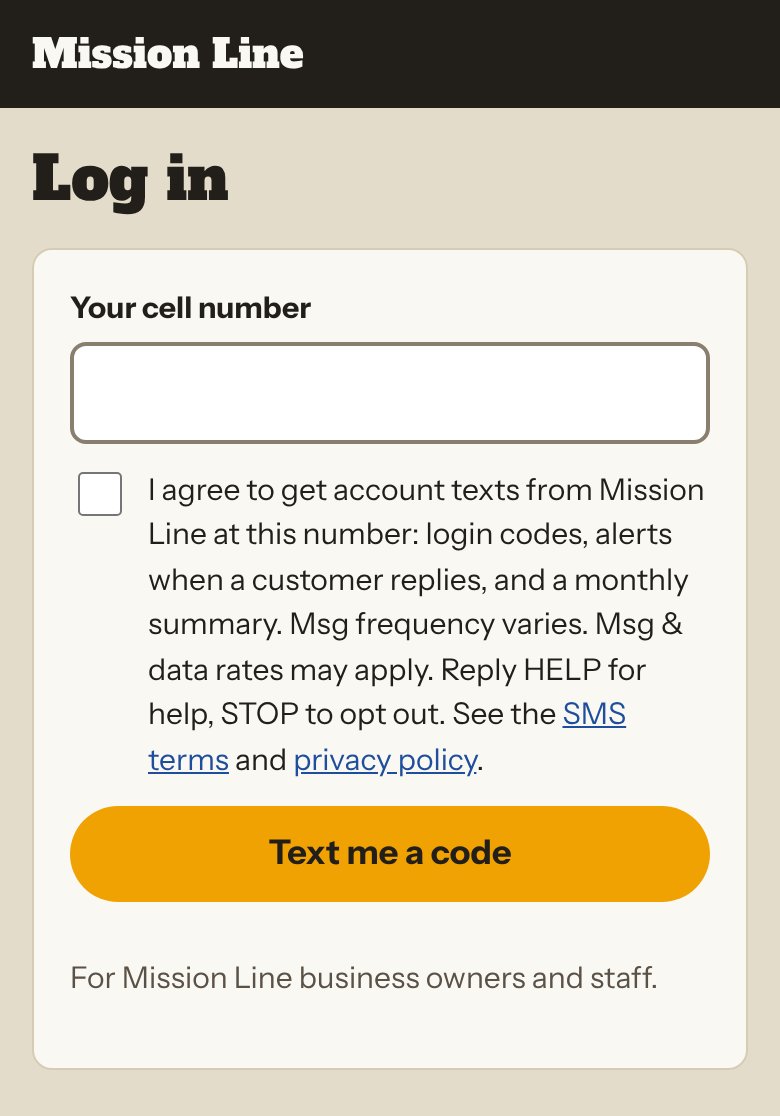
The exact consent text next to the box:
"I agree to get account texts from Mission Line at this number: login codes, alerts when a customer replies, and a monthly summary. Msg frequency varies. Msg & data rates may apply. Reply HELP for help, STOP to opt out. See the SMS terms and privacy policy."
2. They get a confirmation, then their code
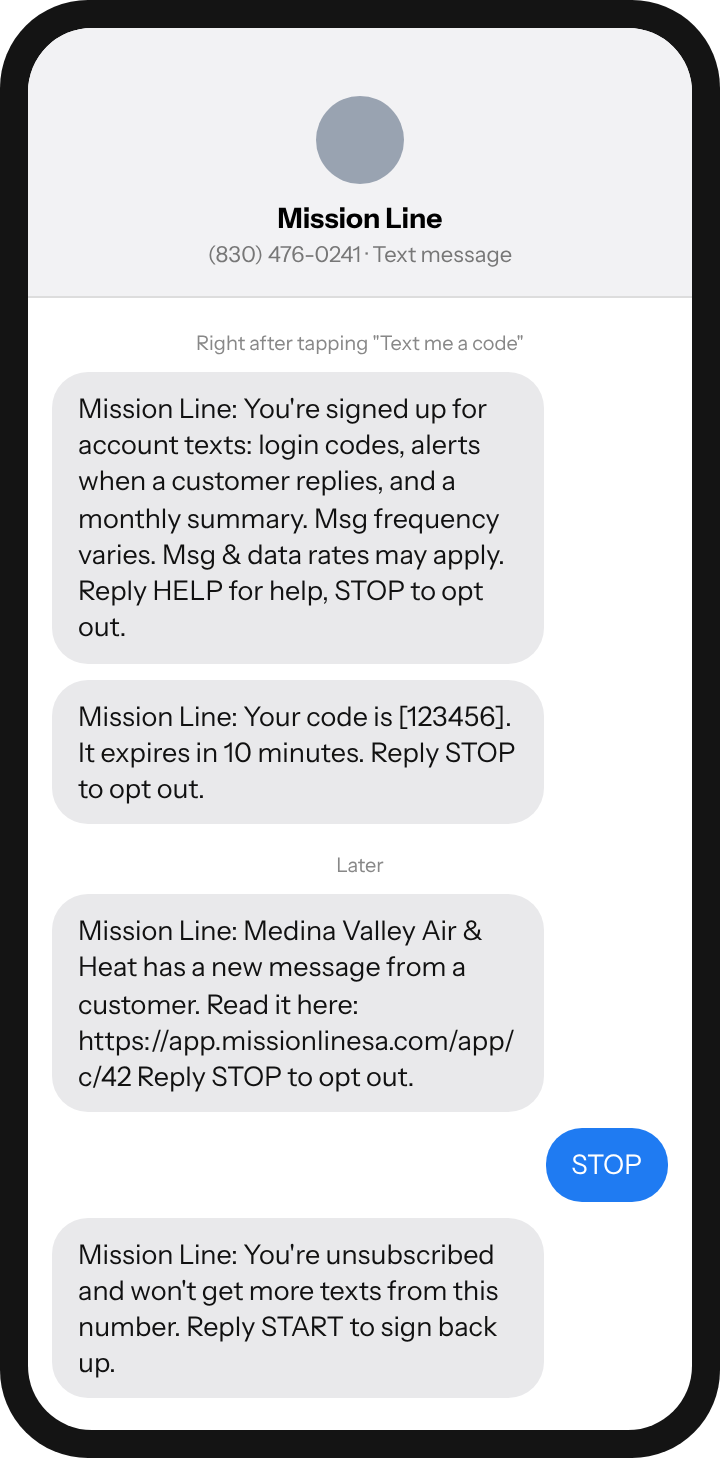
How often, and what it costs
- Message frequency varies: a login code each sign-in, one alert per customer reply, one summary per month.
- Message and data rates may apply. No marketing or promotional texts are sent.
Privacy
We do not sell or share your SMS opt-in data or personal information with third parties for marketing purposes. Read our privacy policy and SMS terms.
Contact
Mission Line, San Antonio, Texas. david@missionlinesa.com · (210) 838-2765